Bookkeeping course in Tampa —QuickBooks-based training. Get books-ready.
A self-paced bookkeeping course in Tampa Bay built around QuickBooks — the bookkeeping software most small businesses actually use. In 24 hours, you'll cover company setup, customer and vendor management, banking, reports, and payroll. Taught by an Intuit QuickBooks-credentialed instructor at Access Computer Training.
- Self-paced, online format
- Learn around your schedule
- QuickBooks-based curriculum
- Diploma upon completion
- Workforce grant, VR & VA funding accepted
- 1-on-1 mentoring available
From accounting anxiety
to confident, QuickBooks-fluent bookkeeper.
Most career changers and small business owners feel intimidated by accounting — debits and credits, chart of accounts, reconciliations all sound impossibly technical. However, bookkeeping is fundamentally about following structured workflows in software like QuickBooks. Specifically, our bookkeeping course Tampa demystifies the entire process in 24 self-paced hours so you can confidently manage books for an employer, your own business, or as a freelance bookkeeper.
Intimidated by accounting, locked out of bookkeeping jobs
- You're considering a career change to bookkeeping but the terminology — debits, credits, accruals, reconciliation — feels overwhelming
- You run a small business or side hustle and need to keep your own books, but QuickBooks looks intimidating from the outside
- Job postings list "QuickBooks experience" or "bookkeeping fundamentals" and you can't honestly claim either yet
- Your work or family schedule is unpredictable — you need a self-paced program rather than fixed-time classes
- You want a credible foundation in bookkeeping that prepares you for entry-level roles or freelance opportunities — but not a multi-year accounting degree
QuickBooks-fluent and books-ready
One course.
Three accounting career paths.
Bookkeeper
Bookkeepers handle the day-to-day financial records of a business — recording transactions, reconciling accounts, managing invoices and bills, and producing monthly financial reports. Specifically, they spend most of their time in QuickBooks, processing transactions and ensuring the books match the bank statements. As a result, the QuickBooks fluency built in our bookkeeping course Tampa positions you directly for this role in Tampa Bay's many small-to-mid-sized employers.
- Daily transaction recording
- Bank & credit card reconciliation
- Invoicing & bill processing
- Monthly close & reports
AP/AR Specialist
Accounts Payable and Accounts Receivable specialists focus on either the bill-paying or invoice-collection side of bookkeeping. They process vendor bills, manage purchase orders, send customer invoices, track aging reports, and follow up on collections. Because mid-size businesses split bookkeeping roles into specialized positions, AP/AR specialists work in deeper concentration on a narrower set of QuickBooks features. Therefore, our curriculum prepares you specifically for the customer-and-vendor workflows these roles require.
- Vendor bill processing & payment
- Customer invoicing & collections
- Aging reports & follow-up
- Purchase order management
Small Business Accountant
Small Business Accountants either work in-house for a single small business or — increasingly — as freelance bookkeepers serving multiple clients. They handle full-cycle bookkeeping, payroll, sales tax filings, financial reporting, and often advisory conversations with business owners. Consequently, this role requires the broadest QuickBooks fluency for full-cycle financial reporting. Many of our bookkeeping course Tampa graduates eventually transition into this independent or near-independent role.
- Full-cycle bookkeeping
- Payroll processing
- Sales tax filings & reports
- Financial advisory support
Salary ranges reflect publicly available Tampa, FL data (BLS, Glassdoor, ZipRecruiter, Salary.com — 2026). Actual compensation varies by employer and experience. Training complements existing experience — completion alone does not guarantee employment.

4 bookkeeping skill areas.
24 hours of QuickBooks.
Our bookkeeping course Tampa covers every skill area entry-level bookkeepers need — taught through hands-on QuickBooks work.
QuickBooks installation, company file creation, chart of accounts, preferences, opening balances
Customer records, invoicing, receiving payments, vendor records, bills, bill payment, AP and AR
Bank feeds, reconciliations, P&L, balance sheet, cash flow, custom reports, exporting
Payroll setup, employees, time tracking, processing checks, deductions, payroll reports
How this compares
to other bookkeeping course options.
Most people exploring bookkeeping training choose between free YouTube content, a community college semester course, or a structured program. Here's where ACT fits.
| Option AYouTube / Self-Study | RecommendedACT Bookkeeping | Option BCommunity College | |
|---|---|---|---|
| InstructionHow you learn | Scattered tutorials | 32 hrs structured | Semester-long lecture |
| ScheduleFlexibility | Self-paced | Self-paced + support | Fixed semester |
| QuickBooks focusReal software | Random coverage | Core curriculum | Often theoretical |
| MentoringGet help when stuck | None | 1-on-1 by appointment | Office hours only |
| FundingWorkforce grant / VR / VA | Not applicable | All accepted | Some forms |
Workforce grant, VR, and VA funding may be available depending on your employment status and county — we'll confirm your eligibility on your strategy call.
Everything you need to start bookkeeping
— ALL included.
Our bookkeeping course Tampa at Access Computer Training is a complete program with no surprise add-ons.
24 Hours of Curriculum
Structured, self-paced curriculum covering QuickBooks-based bookkeeping. Therefore, you control the pace and learn around your work or family schedule.
QuickBooks-Based Training
Hands-on training in QuickBooks — the bookkeeping software used by most small businesses across Tampa Bay and the US. Specifically, you'll work with real workflows, not toy examples.
Practice Files & Workbooks
Practice company files, exercise workbooks, and example datasets. Consequently, you build real bookkeeping muscle memory through realistic small-business scenarios.
1-on-1 Mentoring
Stuck on a reconciliation discrepancy or a payroll setting? Book individual mentoring time with your instructor by appointment. Self-paced never means stuck alone.
Diploma on Completion
Finish all four modules and earn an Access Computer Training diploma — a credential you can list on your résumé and LinkedIn as proof of your QuickBooks bookkeeping skills.
Career Coaching Access
Access to career coaching with Camille Walton, Highlands Certified Career Coach (BA Civil Eng, MBA Duke) — for résumé reviews, LinkedIn optimization, and Tampa bookkeeping job search strategy.
Your bookkeeping course in Tampa
is delivered by a QuickBooks-credentialed instructor.
When you choose our bookkeeping course Tampa at ACT, your instructor brings Intuit QuickBooks credentials and hands-on bookkeeping experience to every module — so you learn the workflows that actually match real-world bookkeeping roles.
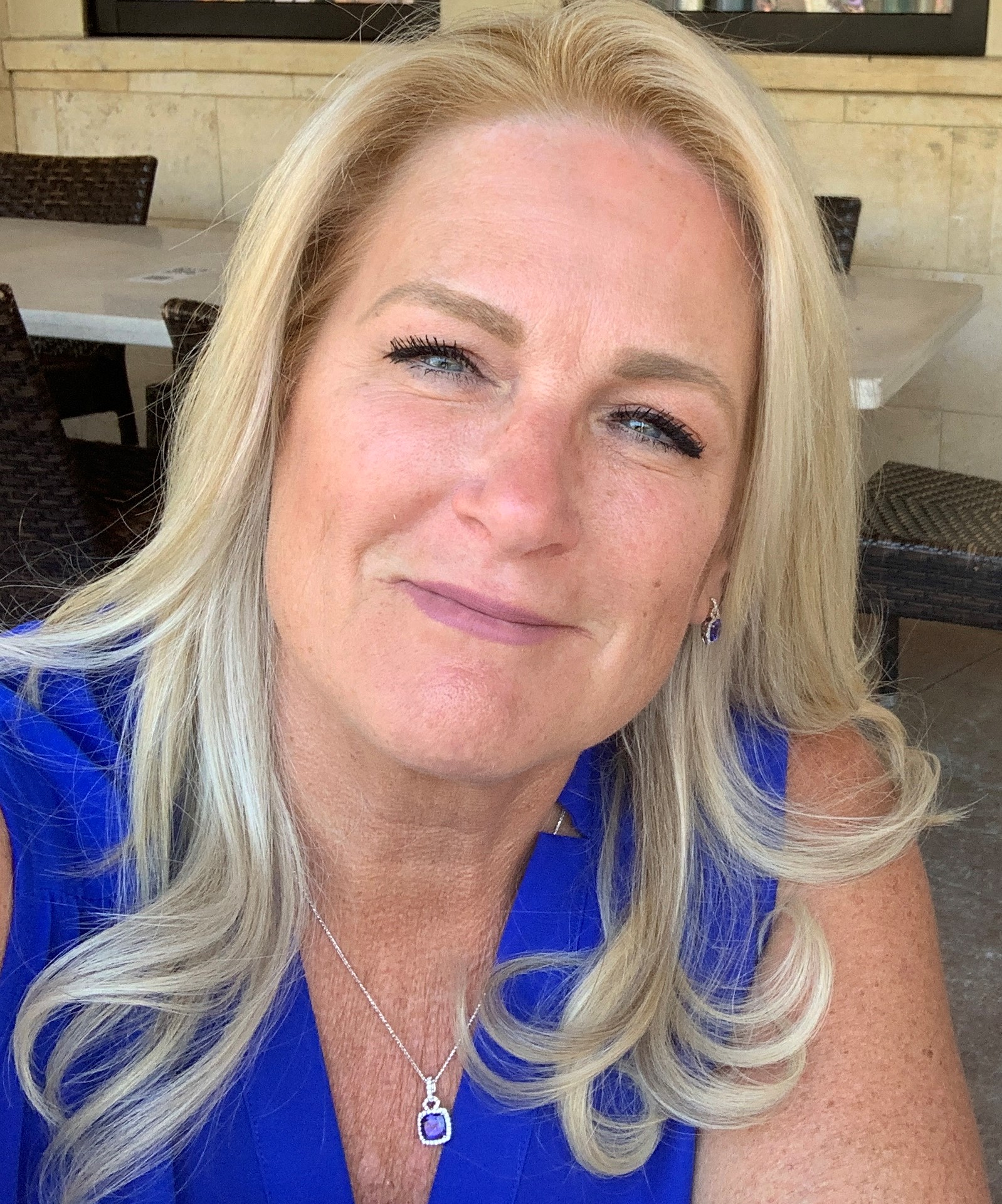
Connie Hyslop
Connie serves as ACT's adjunct bookkeeping instructor, bringing hands-on QuickBooks expertise and Intuit QuickBooks credentials to every module. Her practical, workflow-based teaching approach is grounded in how small businesses actually use QuickBooks — not in abstract accounting theory disconnected from daily bookkeeping reality. Specifically, students learn the keystrokes, reports, and reconciliation routines that employers expect bookkeepers to perform from day one. Connie's curriculum focuses heavily on confidence-building: by the time students finish the program, they can set up a company file, process transactions, reconcile bank accounts, and produce financial reports with practical confidence.
"Bookkeeping is one of the most accessible career paths into stable office work — and one of the most underrated. You don't need an accounting degree to be a great bookkeeper. You need practical QuickBooks fluency and the confidence to handle a real company's books. That's exactly what this 24-hour program delivers — self-paced, with mentoring whenever you need it."
24 hours. 4 modules.
Every bookkeeping workflow covered.
Each module is self-paced through the online learning platform — including hands-on QuickBooks exercises.
01Company Setup in QuickBooksBK1 · 6 hours · Foundation of every bookkeeping engagement6 hrs
Begin with the foundation of every bookkeeping engagement. Cover QuickBooks installation/access, creating a new company file, configuring preferences, building the chart of accounts, entering opening balances, and customizing forms. Specifically, you'll learn the setup decisions that determine how clean and useful the books will be from day one.
02Customers & VendorsBK2 · 6 hours · Invoicing, bills, AR and AP6 hrs
Master the customer and vendor side of bookkeeping. Cover creating customer and vendor records, generating invoices, recording sales receipts, entering bills, paying bills, applying credits, and managing accounts receivable and accounts payable. Therefore, you understand both sides of the cash flow that bookkeepers track daily.
03Banking & Financial ReportsBK3 · 6 hours · Reconciliation, P&L, balance sheet, cash flow6 hrs
Learn the banking workflows and financial reporting that prove your books are accurate. Cover deposits, bank feeds, transfers, credit card transactions, bank reconciliation, the Profit & Loss statement, balance sheet, statement of cash flows, and custom reports. As a result, you can answer the question every business owner asks: "How are we doing?"
04PayrollBK4 · 6 hours · Setup, processing, deductions, reports6 hrs
Cover payroll basics within QuickBooks. Specifically, learn how to set up payroll, add employees, set pay rates and deductions, process payroll runs, handle taxes, and generate payroll reports. Consequently, you can confidently take on bookkeeping roles that include payroll processing — a frequent requirement in small business settings.
Is this program right for you?
We'd rather have an honest conversation now than enroll someone who isn't ready.
Great fit
You're a career changer or returning to the workforce and want a credible foundation in bookkeeping without a multi-year accounting degree.
You own a small business or side hustle and want to manage your own books in QuickBooks confidently — saving on outsourced bookkeeping fees.
You have unpredictable hours or family responsibilities that require self-paced learning rather than scheduled classes.
You're based in or near Tampa Bay (Florida-wide eligible) and want to explore Workforce grant, VR, or VA funding.
Not the right fit
You want to become a CPA or licensed accountant. That requires a 4-year accounting degree plus CPA exam — this program is bookkeeping, not licensed accounting.
You strongly prefer live, scheduled classes. Bookkeeping is one of two self-paced ACT programs — most other programs are live online.
You need comprehensive office productivity alongside bookkeeping. Our Office Administration bundle combines BAPP, Cloud Apps, and Bookkeeping in one program.
Bookkeeping course Tampa — your questions answered.
If you have a question that isn't here, ask us on your free strategy call.
How does the self-paced format work?
Our bookkeeping course Tampa is delivered as a self-paced, online program. You access the curriculum through the online learning platform and work through the 4 modules at your own pace. Specifically, you can pause, replay, and revisit content as needed. Tuition is $2,500 plus $250 registration and $400 books for a total of $3,150. Most students complete the program in 6–12 weeks depending on schedule.
Do I need to buy QuickBooks?
You'll need access to QuickBooks to complete the hands-on exercises. Intuit offers a free 30-day QuickBooks Online trial, and student or non-profit pricing may be available. Additionally, the Intuit education program sometimes offers QuickBooks Desktop free or low-cost to students. We'll guide you through setup before you begin.
What are the prerequisites?
There are no formal prerequisites — the program is designed for absolute beginners to bookkeeping. Basic computer literacy and comfort using a keyboard, mouse, and web browser are sufficient. We'll assess your starting point during your free strategy call.
Will this lead to a QuickBooks certification?
This is a diploma program — you receive a diploma upon completion, not a QuickBooks certification. However, the curriculum gives you the practical foundation to pursue Intuit credentials like QuickBooks Certified User (QBCU) or, for more advanced practitioners, QuickBooks ProAdvisor certification independently afterward. Our focus is making you genuinely productive as a bookkeeper — formal Intuit credentials are an optional next step.
Can I use workforce grant, VR, or VA funding?
Access Computer Training works directly with workforce grant programs, Vocational Rehabilitation (VR), VA Education Benefits (including Post-9/11 GI Bill® and Chapter 31), and CareerSource.
Eligibility depends on your employment status and county, so on your strategy call we'll walk through exactly what you may qualify for.
Can I do freelance bookkeeping after this?
Many graduates do pursue freelance bookkeeping — particularly serving small businesses in Tampa Bay that don't have full-time bookkeepers. Specifically, you'll have the QuickBooks fluency to manage multiple small-business clients. Furthermore, the American Institute of Professional Bookkeepers or the National Association of Certified Public Bookkeepers offers Certified Bookkeeper designations that can boost freelance credibility. We'll cover this path during your strategy call.
How is this different from a CPA path?
Bookkeeping and CPA work are different careers. Bookkeepers record and reconcile transactions, produce reports, and handle daily financial records — they don't need a degree or license. CPAs (Certified Public Accountants) perform audits, sign tax returns, and provide regulated financial opinions — they need a 4-year accounting degree, work experience, and the CPA exam. Therefore, bookkeeping is the faster, more accessible path into accounting-adjacent work. Many bookkeepers later pursue accounting degrees if they decide to advance further.
What if I get stuck during the self-paced program?
Self-paced doesn't mean unsupported. You have access to 1-on-1 mentoring sessions with your instructor by appointment. Therefore, when a reconciliation won't balance or you're not sure why a transaction doesn't post correctly, you can book time to get targeted help. Consequently, students get the flexibility of self-paced learning with the support of a real instructor when needed.
Let's find out if bookkeeping
is the right next step for you.
On a free 15-minute call, we'll learn about your goals, current experience, and where you want to take your career. From there, we'll help you understand whether our bookkeeping course in Tampa is the right move, what support is included, and whether you may qualify for funding. The goal is clarity — not pressure to enroll.
- Clarity on which program fits
- Funding eligibility check
- Self-paced schedule support
- No pressure to commit