Microsoft Office training in Tampa —Master Word, Excel, PowerPoint & AI tools.
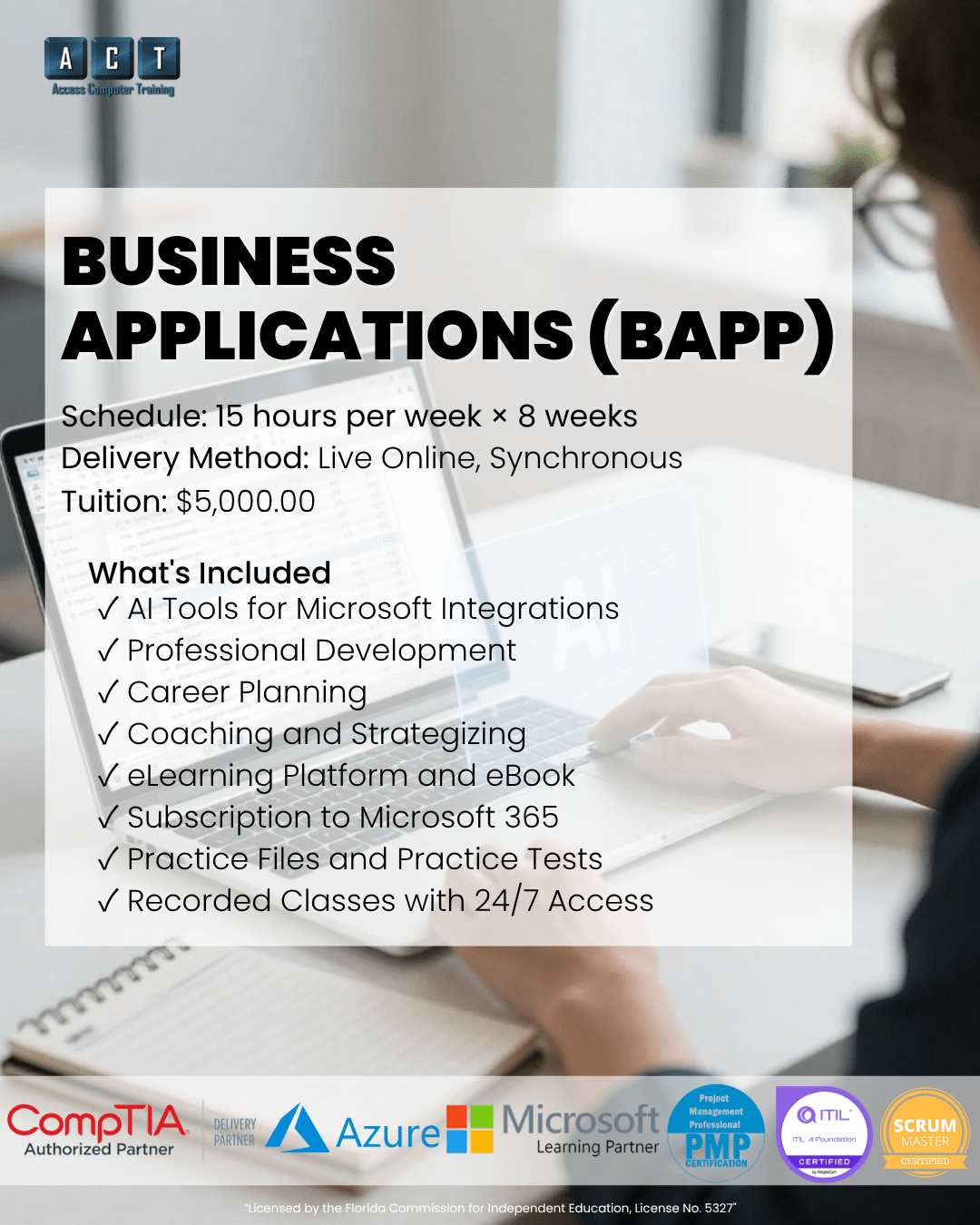
A live, instructor-led Microsoft Office training program in Tampa Bay that builds career-ready proficiency across Microsoft 365 — Word, Excel, PowerPoint, Outlook, plus Microsoft Copilot and ChatGPT — in 138 hours at Access Computer Training. Furthermore, this Business Applications (BAPP) program includes career strategizing so you graduate ready to land an office-based role.
- Live online — not pre-recorded
- Max 12 students per class
- Word, Excel, PowerPoint, Outlook
- Copilot + ChatGPT AI tools
- Workforce grant, VR & VA funding accepted
- Recorded sessions for 24/7 review
From basic computer skills
to office-ready Microsoft proficiency.
Most job seekers list "Microsoft Office" on their résumé without being able to actually deliver in the role. However, employers increasingly need staff who can build a pivot table in Excel, design a professional PowerPoint deck, manage Outlook calendars at executive level, and use AI tools like Copilot to work efficiently. Microsoft Office training Tampa at ACT bridges that gap — 138 hours of structured, instructor-led training that turns generic computer skills into measurable office-ready competence.
Computer-literate but not office-ready
- You know how to open Word and type, but creating professional documents with styles, tables of contents, and mail merge feels overwhelming
- Excel intimidates you — pivot tables, VLOOKUP, charts, and conditional formatting are skills you've avoided learning
- Job postings require "advanced Microsoft Office skills" and AI tool familiarity, but you don't have proof you can deliver
- AI tools like ChatGPT and Copilot are reshaping office work, and you don't yet know how to use them in a professional context
- You want to enter or re-enter the workforce, but lack the structured training that proves you're employer-ready
Microsoft Office Proficient — career-ready
One program.
Three office career paths.
Administrative Assistant
Administrative Assistants handle the day-to-day operations that keep an office running — managing schedules, drafting correspondence, organizing files, preparing reports, and supporting team members at every level. Specifically, this role requires fluency across the entire Microsoft Office suite plus AI tools that accelerate routine tasks. Microsoft Office training Tampa equips you with exactly these skills through 138 hours of structured, hands-on instruction.
- Calendar & email management
- Document drafting & formatting
- Data entry & reporting
- Meeting coordination
Executive Assistant
Executive Assistants work directly with senior leadership — managing complex calendars, coordinating travel, preparing board materials, drafting executive communications, and handling sensitive information. Because executives depend on flawless Microsoft Office output, this role demands the highest level of proficiency. Therefore, advanced Excel, polished PowerPoint, and refined Word skills are non-negotiable. Microsoft Office training Tampa provides 116 hours of dedicated Microsoft Office application time — more than enough to operate at executive level.
- Executive calendar & travel
- Board materials & presentations
- Confidential correspondence
- Advanced Excel reporting
Office Manager
Office Managers oversee administrative operations for an entire office — supervising support staff, managing vendor relationships, coordinating facilities, and ensuring smooth daily operations. As a result, they need both deep Microsoft Office competence and broad organizational skills. They use Excel for budgeting and reporting, PowerPoint for team presentations, Outlook for high-volume coordination, and Word for policy documentation. Consequently, this role rewards comprehensive BAPP training.
- Budget tracking & reporting
- Team supervision & coordination
- Vendor & facilities management
- Policy & process documentation
Salary ranges reflect publicly available Tampa, FL data (BLS, ZipRecruiter, Glassdoor, Salary.com — 2026). Actual compensation varies by employer and experience. Microsoft Office training complements job-seeking effort — certification alone does not guarantee employment.

5 application areas.
138 hours to master them.
Microsoft Office training Tampa at ACT covers the entire Microsoft 365 productivity suite, plus the AI tools that are reshaping office work. Additional foundation modules cover file management and career strategizing.
Professional documents, styles, tables, mail merge, references, and collaboration features
Formulas, functions, pivot tables, charts, conditional formatting, and data analysis
Professional presentations, design themes, animations, transitions, and speaker tools
Email management, calendar, contacts, tasks, rules, and executive-level inbox control
Microsoft Copilot and ChatGPT — practical AI for office workflows and productivity
How this compares
to other Microsoft Office training options.
Most people learning Microsoft Office choose between free YouTube tutorials, a self-paced video course, or a structured live program. Here's where ACT fits.
| Option AYouTube / Free | RecommendedACT BAPP Program | Option BSelf-Paced Video | |
|---|---|---|---|
| InstructionHow you learn | Scattered, no structure | 138 hrs live, structured | Pre-recorded, no Q&A |
| Instructor accessGet questions answered | None | MOS-certified, 1-on-1 | Email only, slow |
| AI tools includedCopilot + ChatGPT | Random | 8 hrs dedicated | Rarely current |
| Career coachingJob search support | None | 10 hrs strategizing | None |
| FundingWorkforce grant / VR / VA | Not eligible | All accepted | Rarely |
Workforce grant, VR, and VA funding may be available depending on your employment status and county — we'll confirm your eligibility on your strategy call.
Everything you need for office career success
— ALL included.
No surprise add-ons. Everything below is part of your Microsoft Office training Tampa enrollment at Access Computer Training.
138 Hours of Live Instruction
8 modules on Microsoft Teams. Practice in real time, ask questions, and get instructor feedback on your work.
Practice Labs & Quizzes
On-demand learning platform access, practice exercises, and quizzes for every module. Build real documents, spreadsheets, and presentations as you learn.
Recorded Sessions
Every live class recorded and available on demand. Revisit Excel pivot tables, review PowerPoint design principles, or catch up if you miss a session.
Copilot & ChatGPT Training
Dedicated modules on Microsoft Copilot and ChatGPT — practical AI workflows for documents, spreadsheets, presentations, and email. As a result, you graduate AI-fluent and ahead of the curve.
1-on-1 Mentoring
Individual mentoring by appointment. If a specific Excel formula or PowerPoint feature isn't clicking, book time with your instructor for targeted help.
Career Strategizing (10 hrs)
Dedicated career planning module — résumé, LinkedIn optimization, interview prep, and Tampa-area job search strategies with Camille Walton, Highlands Certified Career Coach.
Your Microsoft Office training in Tampa
is taught by a certified MOS & technical trainer.
When you choose Microsoft Office training Tampa at ACT, your instructor holds the Microsoft Office Specialist (MOS) credential, the CompTIA CTT+ Certified Technical Trainer credential, and a BS in Computer Information Science. Therefore, every lesson combines deep software expertise with proven teaching methodology.
Christie Adams, MOS, CTT+
Christie holds the Microsoft Office Specialist (MOS) credential and the CompTIA CTT+ (Certified Technical Trainer) certification — meaning she's both a domain expert in Microsoft Office and a credentialed instructor with proven teaching skills. She earned a BS in Computer Information Science and has deep practical experience across Word, Excel, PowerPoint, Outlook, and the modern AI tools reshaping office work. Her teaching style emphasizes doing over watching — students build real documents, spreadsheets, and presentations throughout the program. Consequently, students leave with both the skills and the work samples to show in interviews.

"BAPP is the program that started this school. I built it because I watched too many qualified people lose jobs to applicants with stronger Microsoft Office skills. We designed every module to be practical, employer-relevant, and AI-ready. That's why our BAPP graduates land office roles — they're not just trained, they're prepared."
138 hours. 8 modules.
Every essential Microsoft Office application covered.
Live, instructor-led training on Microsoft Teams. Hands-on practice with real documents, spreadsheets, and presentations from day one.
01File Management FundamentalsModule 1 · 4 hours · Foundation for everything that follows4 hrs
Build the foundation skills every office worker needs. Learn how to navigate Windows efficiently, organize files and folders, manage cloud storage, and handle common file operations. This module ensures everyone starts on solid ground before diving into specific applications.
02Microsoft Word — Professional DocumentsModule 2 · 36 hours · From basic to advanced document creation36 hrs
Master Microsoft Word from foundation through advanced features. Learn document formatting, styles, themes, page layouts, tables, references (footnotes, citations, bibliographies), mail merge, track changes, collaboration tools, and how to produce professional-quality business documents that look polished and consistent every time.
03Microsoft Excel — Spreadsheets to AnalysisModule 3 · 40 hours · The largest module — Excel is essential40 hrs
Spend 40 hours mastering Excel — the most in-demand office skill in any industry. Cover formulas and functions (SUM, IF, VLOOKUP, INDEX/MATCH, XLOOKUP), pivot tables, charts and visualizations, conditional formatting, data validation, named ranges, what-if analysis, and how to clean and analyze real datasets. Furthermore, this module includes practical scenarios drawn from finance, HR, operations, and marketing.
04Microsoft PowerPoint — PresentationsModule 4 · 20 hours · Design and deliver professional presentations20 hrs
Build presentations that actually persuade and inform. Cover design principles, slide layouts, themes and templates, animations and transitions, embedded media, charts and SmartArt, speaker notes, presenter view, and rehearsal tools. Learn how to design decks that work for boardrooms, training sessions, and client pitches alike.
05Microsoft Outlook — Email & Calendar MasteryModule 5 · 20 hours · Executive-level inbox and calendar control20 hrs
Master Microsoft Outlook beyond basic email. Learn rules and automation, advanced calendar features, shared calendars and resource booking, contacts and distribution lists, tasks, follow-up flags, search folders, mailbox archiving, and inbox management techniques used by executive assistants. Specifically, this module teaches you to handle high-volume professional correspondence with confidence.
06Career StrategizingModule 6 · 10 hours · Résumé, LinkedIn, interview, and job search10 hrs
Turn your new Microsoft Office skills into job offers. Work directly with a Highlands Certified Career Coach to build a strong résumé, optimize your LinkedIn profile, prepare for interviews, and identify Tampa-area employers actively hiring office staff. Additionally, you'll learn how to position the AI tool training (Copilot + ChatGPT) on your résumé to stand out from other candidates.
07Microsoft Copilot — AI in OfficeModule 7 · 4 hours · AI-powered productivity in Microsoft 3654 hrs
Learn how to use Microsoft Copilot across Word, Excel, PowerPoint, and Outlook. Generate first drafts, summarize long documents, create slide decks from outlines, analyze Excel data with natural language prompts, and draft email replies in seconds. Ultimately, this module makes you the person who finishes work in half the time of your peers.
08ChatGPT for Office WorkModule 8 · 4 hours · Practical ChatGPT for professional output4 hrs
Use ChatGPT as a professional productivity tool. Learn effective prompting, content drafting, research workflows, formatting requests, custom GPTs for office tasks, and the ethical/practical limits of generative AI in workplace settings. Because most office jobs now expect at least baseline AI literacy, this module gives you a measurable advantage.
Is this program right for you?
We'd rather have an honest conversation now than enroll someone who isn't ready.
Great fit
You're entering or re-entering the workforce and want a comprehensive Microsoft Office training program that prepares you for office-based roles.
You've used Office casually but want professional-level proficiency across Word, Excel, PowerPoint, Outlook, plus modern AI tools that employers now expect.
You want live instruction from a MOS-certified instructor — not a self-paced video course where questions go unanswered.
You're based in or near Tampa Bay and want to explore Workforce grant, VR, or VA funding options.
Not the right fit
You already use Microsoft Office at an advanced level daily and don't need 138 hours of training. Consider our shorter Microsoft Excel (40 hrs) program if you only need Excel depth.
You want a technical IT certification. BAPP is about office productivity, not technical IT. Consider CompTIA A+ or Security+.
You want a complete office administration bundle that also includes collaboration tools (Teams, SharePoint, OneDrive, OneNote) and bookkeeping. The full Office Administration program bundles everything together at 206 hours.
Microsoft Office training Tampa — your questions answered.
If you have a question that isn't here, ask us on your free strategy call.
How long does the Microsoft Office training program take?
The program is 138 clock hours total across 8 modules. Tuition is $5,000 plus a $250 registration fee and $400 for books and materials — total program cost is $5,650. Live online classes are held on Microsoft Teams, with every session recorded for on-demand review.
What software do I need to take this program?
You'll need a Windows PC with internet access. We strongly recommend dual monitors or a second device so you can watch instruction while practicing. Microsoft 365 access (Word, Excel, PowerPoint, Outlook) is required — we can discuss licensing options during your strategy call.
Are there any prerequisites?
No formal prerequisites. The program starts with file management fundamentals and builds progressively. However, basic computer literacy (using a mouse, navigating Windows, typing) is assumed. We assess readiness during your free strategy call.
Can I use workforce grant, VR, or VA funding for this program?
Access Computer Training works directly with workforce grant programs, Vocational Rehabilitation (VR), VA Education Benefits (including Post-9/11 GI Bill® and Chapter 31), and CareerSource.
Eligibility depends on your employment status and county, so on your strategy call we'll walk through exactly what you may qualify for.
Does BAPP lead to a certification?
You'll receive an ACT diploma upon successful completion (70% grade minimum and 80% attendance). BAPP is comprehensive Microsoft Office training that prepares you to pursue the Microsoft Office Specialist (MOS) certification individually through Certiport if you choose. Many graduates pursue MOS certification in Excel and Word after the program.
What's the difference between BAPP and Office Administration?
BAPP is the 138-hour core Microsoft Office program. The Office Administration bundle is 206 hours total — it combines BAPP with Microsoft Cloud Apps (Teams, SharePoint, OneDrive, OneNote — 36 hrs) and Intro to Bookkeeping (32 hrs). Choose Office Administration if you want a complete office career bundle. In contrast, choose BAPP alone if you only need core Microsoft Office mastery.
How quickly will I find a job after BAPP?
Job timelines vary based on prior experience, target role, and local market conditions. Nevertheless, BAPP includes 10 hours of dedicated career strategizing — résumé, LinkedIn, interview prep, and Tampa-area job search guidance — to accelerate placement. Many graduates land office roles within 30-90 days of program completion. No school can guarantee employment, but our integrated career support measurably improves outcomes.
Why include ChatGPT and Copilot training?
Because AI literacy is now an emerging hiring requirement for office roles. Employers increasingly expect staff to use Microsoft Copilot for routine tasks and ChatGPT for drafting and research. As a result, our BAPP program dedicates 8 hours to these tools so graduates have a real, demonstrable AI skill set — not just generic familiarity. Specifically, this differentiates ACT graduates from candidates trained on older curricula that ignore AI entirely.
Let's find out if BAPP is the right next step for you.
On a free 15-minute call, we'll learn about your goals, current experience, and where you want to take your career. From there, we'll help you understand whether Microsoft Office training in Tampa is the right move, what support is included, and whether you may qualify for funding. The goal is clarity — not pressure to enroll.
- Clarity on which program fits
- Funding eligibility check
- Schedule that fits your life
- No pressure to commit