Skip to content
Microsoft 365 training in Tampa —Master the cloud apps every modern workplace runs on. Get M365 fluent.
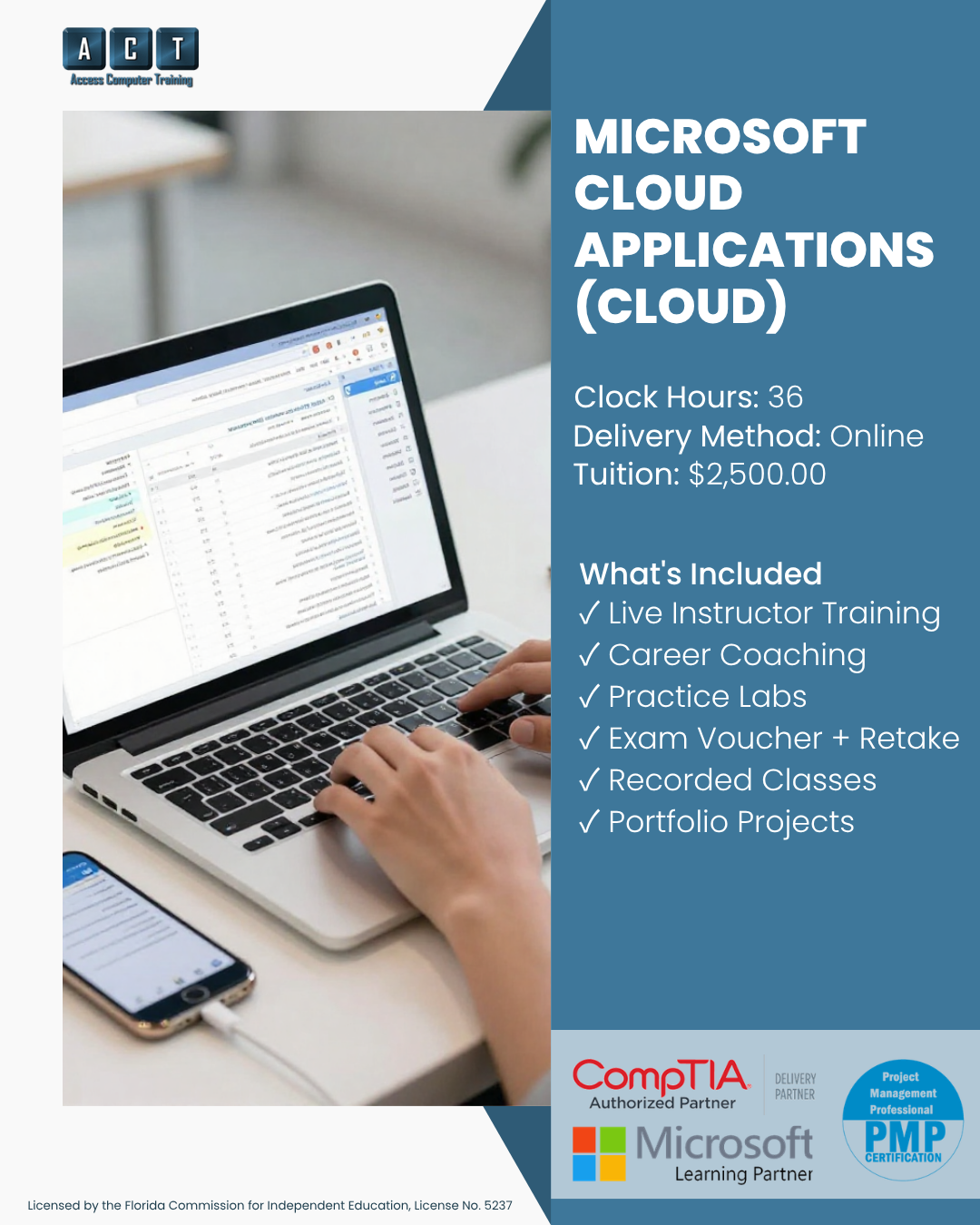
A self-paced Microsoft 365 training program in Tampa Bay that takes you deep on the four collaboration tools running every modern office: Microsoft Teams, SharePoint, OneDrive, and OneNote — covered in 36 hours at Access Computer Training. Built for the hybrid and remote workplace.
- Self-paced, online format
- Learn around your schedule
- Career coaching included
- 1-on-1 mentoring available
- Workforce grant, VR & VA funding accepted
- Practical, project-based learning
From Office basics
to modern workplace collaboration.
Most office workers know Word and Excel but struggle with the cloud-based collaboration tools that hybrid and remote workplaces depend on. However, employers now expect candidates to be fluent in Microsoft Teams, SharePoint, OneDrive, and OneNote — the four pillars of modern workplace productivity. Microsoft 365 training Tampa at ACT closes that gap in 36 self-paced hours, on your schedule.
Falling behind in the cloud-collaboration workplace
- You can join a Teams meeting but don't know how to build channels, manage permissions, or use Teams as a real collaboration hub
- Your company uses SharePoint but it feels like a confusing maze of sites, libraries, and permissions you've never been formally trained on
- Files get scattered across local drives, OneDrive, and SharePoint — and you can't keep track of versions or sharing
- Job postings list "Microsoft 365 proficiency" or "experience with Teams and SharePoint" and you can't credibly claim it
- Your schedule is unpredictable — you need structured training that adapts to you, not training that locks you into fixed class times
Microsoft 365 fluent — collaboration-ready
One program.
Three modern-workplace paths.
Microsoft 365 Administrator
Microsoft 365 Administrators manage the organization's M365 tenant — user accounts, licenses, Teams configuration, SharePoint site provisioning, and security policies. They handle day-to-day administrative tasks like resetting passwords, configuring meeting policies, and managing OneDrive storage. Specifically, this role requires fluency in the entire M365 suite from the user perspective — which is exactly what Microsoft 365 training Tampa delivers.
- User & license management
- Teams policies & meeting config
- SharePoint site provisioning
- OneDrive storage management
Collaboration Specialist
Collaboration Specialists help organizations adopt and use Microsoft 365 tools effectively. They train teams on Teams etiquette, design SharePoint site structures, set up document collaboration workflows, and serve as internal experts when colleagues have M365 questions. As a result, this role bridges IT and the business — making M365 actually work for the people who use it daily. Because hybrid work is now standard, demand for these roles continues to grow steadily.
- Internal M365 training & adoption
- Teams & SharePoint design
- Document workflow setup
- End-user support & coaching
SharePoint Administrator
SharePoint Administrators design and maintain enterprise SharePoint environments — building site hierarchies, configuring document libraries, managing permissions, and creating workflows that automate business processes. Therefore, this role requires deep SharePoint fluency combined with broader M365 understanding. Consequently, SharePoint Administrators command higher salaries than general M365 admins — particularly in mid-size and enterprise Tampa Bay employers.
- Site collection architecture
- Permission & access governance
- Document library design
- Workflow & automation
Salary ranges reflect publicly available Tampa, FL data (Glassdoor, ZipRecruiter, Salary.com — 2026). Actual compensation varies by employer and experience. Training complements existing experience — completion alone does not guarantee employment.
4 cloud apps.
36 hours of fluency.
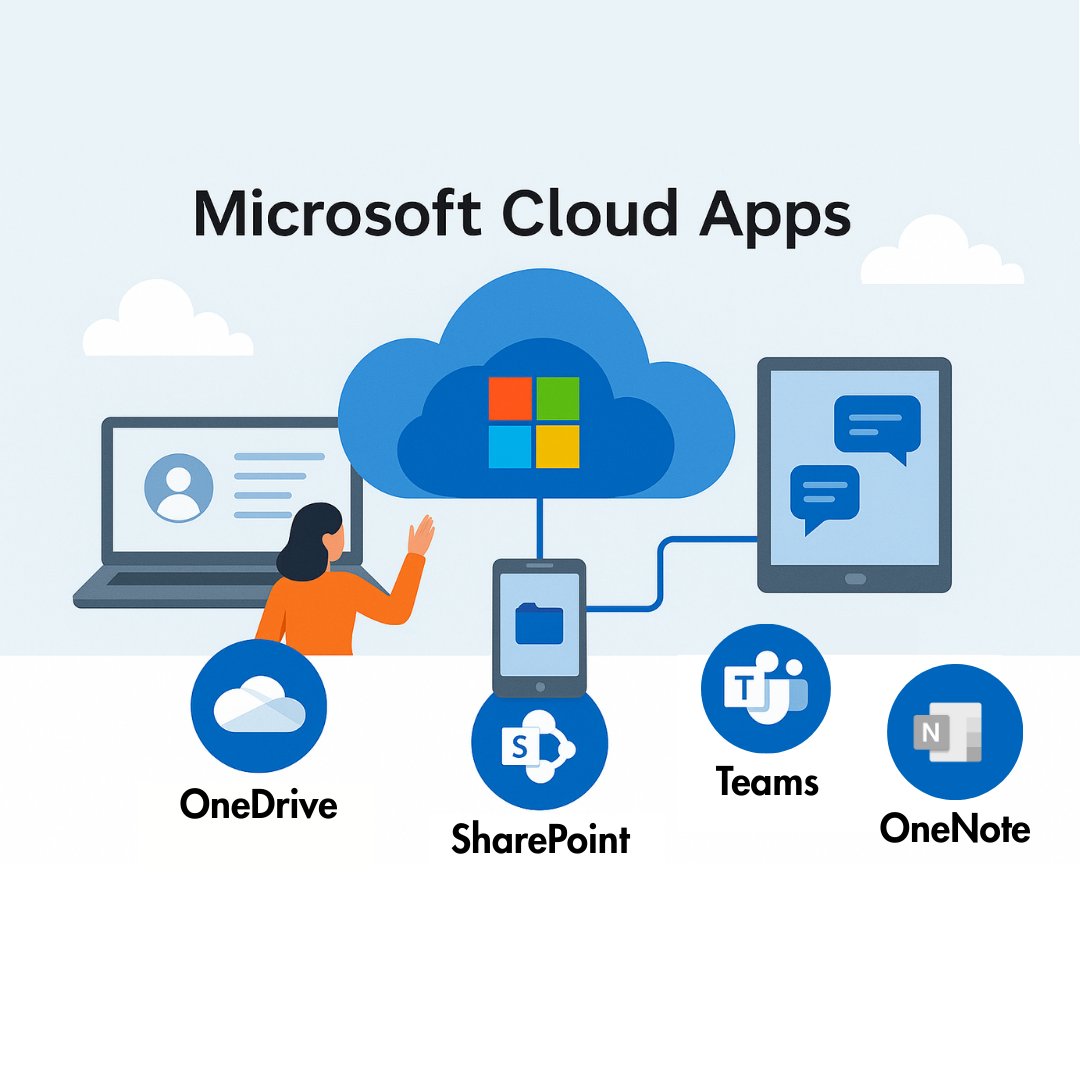
Microsoft 365 training Tampa at ACT covers the four collaboration tools every modern workplace runs on — each at 9 hours of in-depth, hands-on learning.
Channels, meetings, file sharing, chat etiquette, apps integration, team management, and policy navigation. The modern workplace collaboration hub.
Sites, document libraries, lists, pages, permissions, version control, search, and integration with Teams. Enterprise document management.
Personal cloud storage, file sync, sharing, version history, mobile access, and integration with Office apps. Files everywhere.
Notebooks, sections, pages, tags, search, collaboration, and integration with Outlook and Teams. Digital notetaking organized.
How this compares
to other Microsoft 365 training options.
Most people learning M365 cloud apps choose between free Microsoft Learn modules, a corporate trainer-led day, or a structured program. Here's where ACT fits.
| Option AMicrosoft Learn | RecommendedACT Cloud Apps | Option BCorporate 1-Day | |
|---|---|---|---|
| InstructionHow you learn | Free but scattered | 36 hrs structured | 6–8 hrs crammed |
| ScheduleFlexibility | Fully self-paced | Self-paced + support | Fixed day |
| MentoringGet help when stuck | None | 1-on-1 by appointment | Limited follow-up |
| Career coachingJob search support | None | Highlands Certified | None |
| FundingWorkforce grant / VR / VA | Not applicable | All accepted | Rarely |
Workforce grant, VR, and VA funding may be available depending on your employment status and county — we'll confirm your eligibility on your strategy call.
Everything you need to master Microsoft 365
— ALL included.
Microsoft 365 training Tampa at Access Computer Training is a complete program with no surprise add-ons.
36 Hours of Curriculum
Structured, self-paced curriculum covering Microsoft Teams, SharePoint, OneDrive, and OneNote. Therefore, you control the pace and learn around your schedule — not the other way around.
Hands-On Lab Exercises
Practice exercises designed by a Microsoft Office Specialist (MOS) instructor. Build real skills by actually using the tools — not by watching others use them.
1-on-1 Mentoring
Stuck on SharePoint permissions or a Teams policy? Book individual mentoring time with your instructor by appointment. Consequently, self-paced never means stuck alone.
Study Materials & Practice Files
Comprehensive study guides and practice files for hands-on work. Specifically, the materials cover the real workflows you'll use in modern offices — not just isolated features.
Career Planning & Job Strategy
Résumé reviews, LinkedIn optimization, interview prep, and Tampa-area job search strategies with Camille Walton, Highlands Certified Career Coach (BA Civil Eng, MBA Duke).
On-Demand Platform Access
Continued access to the learning platform with practice quizzes, demos, and reference materials. Furthermore, you can revisit any module anytime as your skills grow on the job.
Your Microsoft 365 training in Tampa
is designed by a Microsoft Office Specialist.
The Cloud Apps curriculum is built by an MOS-certified instructor with formal technical-trainer credentials and a Computer Information Science degree — so you learn from someone certified in the tools she teaches.
Christie Adams
Christie holds the Microsoft Office Specialist (MOS) credential, validating expert-level skill across the Microsoft Office and 365 suites. She also holds CTT+ (Certified Technical Trainer), meaning she's trained in adult education and instructional design specifically. Christie earned a Bachelor of Science in Computer Information Science, giving her the technical depth to teach not just how to click but how Microsoft 365 actually works under the hood — particularly relevant for SharePoint permissions and Teams policies. Her dual focus on certified expertise and structured teaching means students master M365 faster and retain what they learn longer.

"Five years ago, Office meant Word and Excel. Today, it means Teams, SharePoint, and a cloud-collaboration ecosystem that's fundamentally changed how offices work. We built Cloud Apps as a self-paced program because the people who need these skills most — working adults, parents, career changers — can't always sit in scheduled classes. They need flexible, structured learning that adapts to their schedule."
36 hours. 8 modules.
Each cloud app covered in two parts.
Each app is taught across two modules — fundamentals first, then advanced features. All content is self-paced through the online learning platform.
01Microsoft Teams — Part 1Module 1 · 4.5 hours · Teams fundamentals and basic collaboration4.5 hrs
Start with Microsoft Teams fundamentals. Cover the Teams interface, joining and creating teams, channels (standard, private, shared), chat versus channel messages, meetings, calls, file sharing, and basic notification settings. Specifically, you'll understand the difference between a team and a channel — a distinction that confuses many new users.
02Microsoft Teams — Part 2Module 2 · 4.5 hours · Advanced Teams: apps, automation, governance4.5 hrs
Advance to power-user Teams skills. Cover apps and tabs, integrating SharePoint and OneNote, meeting policies and recordings, breakout rooms, live events, Teams etiquette in the modern workplace, and team management as an owner. Furthermore, you'll learn how Teams connects to the rest of the Microsoft 365 ecosystem.
03SharePoint — Part 1Module 3 · 4.5 hours · Sites, libraries, lists, basic navigation4.5 hrs
Begin SharePoint fundamentals. Cover the SharePoint interface, navigating site collections, document libraries versus lists, uploading and organizing files, version history, co-authoring, basic search, and the relationship between SharePoint and OneDrive. Therefore, you'll stop seeing SharePoint as a confusing maze and start using it confidently.
04SharePoint — Part 2Module 4 · 4.5 hours · Permissions, pages, advanced site management4.5 hrs
Advance to SharePoint power-user features. Cover permission models (read, edit, owner), creating modern pages, web parts, custom views, document metadata, content types, syncing libraries to your desktop, and integration with Teams. As a result, you'll have the foundation for a SharePoint Administrator role.
05OneDrive — Part 1Module 5 · 4.5 hours · Cloud storage fundamentals and sync4.5 hrs
Master OneDrive personal cloud storage. Cover uploading and organizing files, syncing OneDrive to your desktop, the OneDrive mobile app, accessing files offline, recovering deleted files, version history, and the distinction between personal OneDrive and OneDrive for Business. Consequently, your files become available everywhere — securely.
06OneDrive — Part 2Module 6 · 4.5 hours · Sharing, collaboration, advanced features4.5 hrs
Advance to OneDrive collaboration features. Cover sharing files and folders with internal and external users, link permissions and expiration, co-authoring documents in real time, requesting files from others, scanning documents with the mobile app, and integration with Outlook and Teams. Additionally, you'll understand how OneDrive fits into the broader M365 file ecosystem.
07OneNote — Part 1Module 7 · 4.5 hours · Notebook fundamentals and organization4.5 hrs
Start OneNote fundamentals. Cover the notebook → section → page hierarchy, creating and organizing notebooks, formatting content, inserting images and files, tags, search, and using OneNote across devices. Ultimately, you'll have a system for capturing meeting notes, project ideas, and reference information.
08OneNote — Part 2Module 8 · 4.5 hours · Collaboration and M365 integration4.5 hrs
Advance to OneNote collaboration and integration. Cover sharing notebooks, co-editing in real time, drawing and inking, audio notes, integrating OneNote with Outlook meetings, embedding notebooks in Teams channels, and using OneNote as a team knowledge base. Specifically, you'll learn how OneNote completes the M365 productivity ecosystem.
Is this program right for you?
We'd rather have an honest conversation now than enroll someone who isn't ready.
Great fit
You're an office worker in a hybrid or remote role and need to be fluent in Teams, SharePoint, OneDrive, and OneNote to do your job effectively.
You have unpredictable hours or family responsibilities that make scheduled classes impossible — and you need self-paced learning that fits around real life.
You're already comfortable with basic Microsoft Office (Word, Excel) and want to add modern cloud-collaboration skills — possibly alongside our Microsoft Office (BAPP) program.
You're based in or near Tampa Bay (Florida-wide eligible) and want to explore Workforce grant, VR, or VA funding.
Not the right fit
You need a complete office productivity foundation including Word, Excel, PowerPoint, and Outlook. Start with our Microsoft Office (BAPP) program instead (138 hours, $5,000).
You strongly prefer live, scheduled classes with real-time instructor interaction. Cloud Apps is self-paced — most other ACT programs are live.
You want a technical Microsoft Azure or admin-level certification. For cloud infrastructure, see our Microsoft Azure AZ-900/AZ-104 program.
Microsoft 365 training Tampa — your questions answered.
If you have a question that isn't here, ask us on your free strategy call.
How does the self-paced format work?
Microsoft 365 training Tampa is delivered as a self-paced, online program. You access the curriculum through the online learning platform and work through the 8 modules at your own pace. Specifically, you can pause, replay, and revisit content as needed. Tuition is $2,500 plus $250 registration and $400 books for a total of $3,150. Most students complete the program in 6–12 weeks depending on schedule and pace.
What are the prerequisites?
There are no formal prerequisites, but basic comfort with Windows and at least entry-level experience with Microsoft Office helps significantly. However, if you're brand new to Microsoft Office entirely, you may want to start with our Microsoft Office (BAPP) program first. We'll assess fit during your free strategy call.
Do I need to buy Microsoft 365?
Yes — you'll need access to Microsoft 365 to practice with Teams, SharePoint, OneDrive, and OneNote. A free Microsoft 365 trial is available to start, and Microsoft offers personal subscriptions for approximately $7/month. For SharePoint specifically, a Microsoft 365 Business subscription (around $6/user/month) provides the full experience. We'll guide you through setup before you begin.
Can I get 1-on-1 help during a self-paced program?
Yes — self-paced doesn't mean alone. You have access to 1-on-1 mentoring sessions with your instructor by appointment. Therefore, when you're stuck on a SharePoint permission setting or a Teams policy question, you can book time to get targeted help. Consequently, you get the flexibility of self-paced learning with the support of a real instructor.
How is this different from Microsoft Office training?
Microsoft Office (BAPP) covers the desktop productivity apps: Word, Excel, PowerPoint, and Outlook. In contrast, Microsoft Cloud Apps covers the cloud collaboration apps: Teams, SharePoint, OneDrive, and OneNote. They complement each other beautifully — many students take BAPP first, then Cloud Apps to round out their M365 skillset. Together they represent comprehensive Microsoft 365 fluency.
Can I use workforce grant, VR, or VA funding?
Access Computer Training works directly with workforce grant programs, Vocational Rehabilitation (VR), VA Education Benefits (including Post-9/11 GI Bill® and Chapter 31), and CareerSource.
Eligibility depends on your employment status and county, so on your strategy call we'll walk through exactly what you may qualify for.
Will this lead to a Microsoft certification?
Cloud Apps is a diploma program — you receive a diploma upon completion, not a Microsoft certification. However, the curriculum is taught by an MOS-certified instructor and gives you a strong foundation if you wish to pursue Microsoft 365 Certified: Fundamentals (MS-900) or related role-based certifications afterward. For IT service management, see our ITIL 4 Foundation program. For technical infrastructure certification, see our Microsoft Azure program instead.
What if I work full-time? Can I still complete the program?
Absolutely — the self-paced format is specifically designed for working adults. Most full-time workers complete the 36-hour program in 6–12 weeks by spending 3–6 hours per week on coursework. Furthermore, you can pace yourself faster or slower depending on your availability. Consequently, this is one of the most accessible programs at ACT for people with full-time commitments.
Let's find out if Cloud Apps
is the right next step for you.
On a free 15-minute call, we'll learn about your goals, current experience, and where you want to take your career. From there, we'll help you understand whether Microsoft 365 training in Tampa is the right move, what support is included, and whether you may qualify for funding. The goal is clarity — not pressure to enroll.
- Clarity on which program fits
- Funding eligibility check
- Self-paced schedule support
- No pressure to commit
Admin, bookkeeping, or Office skills — where do you start?
Take our 2-minute quiz and we'll match your goals to the right admin, bookkeeping, or Microsoft Office path.