
Microsoft Excel course in Tampa —Formulas, pivots, automation. Get Excel-fluent.
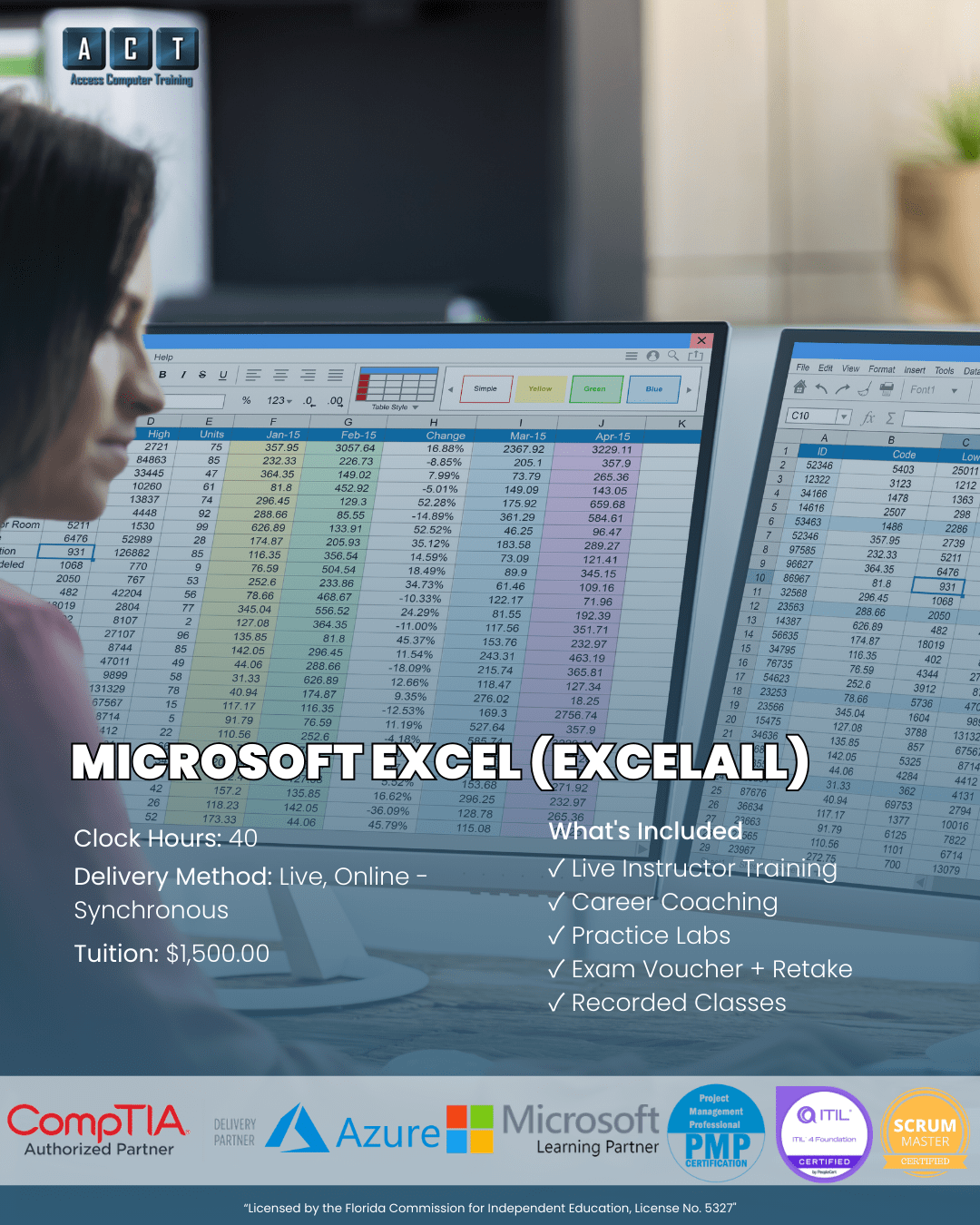
A live, instructor-led Microsoft Excel course in Tampa Bay that takes you from foundations through advanced features in 40 hours. The ExcelALL program goes deep on Excel alone — formulas, lookup functions, pivot tables, charts, conditional formatting, and automation basics. Built and taught by a Microsoft Office Specialist (MOS) at Access Computer Training.
- Live online — not pre-recorded
- Max 12 students per class
- MOS Excel exam aligned
- Practice files & workbooks included
- Workforce grant, VR & VA funding accepted
- Recorded sessions for 24/7 review
From Excel anxiety
to confident, formula-driven power user.
Most office workers know just enough Excel to enter numbers — but they're held back by formulas they can't write, pivot tables they don't trust, and lookups that always seem to break. However, every modern office role rewards Excel fluency with promotions, better assignments, and significantly higher pay. Microsoft Excel course Tampa at ACT delivers 40 hours of focused, hands-on Excel mastery — exclusively Excel, nothing else.
Stuck at the Excel basics ceiling
- You can enter data and use SUM, but VLOOKUP, INDEX/MATCH, and XLOOKUP feel like another language
- Pivot tables intimidate you — you've heard they're powerful but never had structured training on how to build them
- Job postings for analyst, finance, and operations roles list "advanced Excel" as a requirement and you can't credibly claim it
- You spend hours doing manually what should take minutes with formulas, conditional formatting, or basic macros
- You've tried YouTube tutorials but the lessons are scattered, outdated, or never quite match what you actually need to do at work
Excel power user — formula-driven and analytical
One skill.
Three high-paying career paths.
Data Analyst
Data Analysts spend their days inside Excel — cleaning datasets, building reports, creating dashboards, and surfacing insights for leadership. They use VLOOKUP and XLOOKUP constantly, pivot tables daily, and conditional formatting to highlight what matters. Specifically, this role demands the exact skill stack our Microsoft Excel course Tampa delivers. Entry-level Data Analysts in Tampa Bay typically earn solid mid-range salaries with rapid promotion potential.
- VLOOKUP, XLOOKUP, INDEX/MATCH
- Pivot tables & pivot charts
- Data cleaning & validation
- Reporting & dashboards
Financial Analyst
Financial Analysts use Excel to build financial models, forecast performance, evaluate investments, and produce board-ready reports. They master complex formulas, sensitivity analysis, named ranges, and basic macros — every skill our Microsoft Excel course covers in depth. As a result, this role rewards Excel mastery with significantly higher compensation than general analyst roles. Tampa Bay employers across banking, insurance, and corporate finance actively recruit Excel-fluent financial analysts.
- Financial modeling & forecasting
- What-if analysis & scenarios
- Advanced formulas & nested IFs
- Report automation
Operations Analyst
Operations Analysts use Excel to track KPIs, identify bottlenecks, model process changes, and quantify efficiency gains. They build tracking workbooks, schedule reports, and use conditional formatting and pivot tables to surface trends. Therefore, this role combines Excel fluency with operational thinking — and pays particularly well in Tampa Bay's logistics, healthcare, and manufacturing sectors. Consequently, many Operations Analysts later transition into management or consulting roles.
- KPI tracking & dashboards
- Process modeling in Excel
- Conditional formatting
- Schedule automation
Salary ranges reflect publicly available Tampa, FL data (BLS, ZipRecruiter, Glassdoor, Salary.com — 2026). Actual compensation varies by employer and experience. Training complements existing experience — completion alone does not guarantee employment.
5 skill levels.
40 hours of pure Excel.
Microsoft Excel course Tampa at ACT progresses through five distinct skill levels — from foundations to automation — aligned to the MOS Excel Associate certification objectives.
Excel interface, ribbon, navigation, basic formulas, cell references, formatting
Logical, text, date, math functions, VLOOKUP, INDEX/MATCH, XLOOKUP, nested IFs
Sort, filter, data validation, tables, pivot tables, pivot charts, slicers
Charts, conditional formatting, sparklines, data bars, professional dashboards
Named ranges, what-if analysis, scenario manager, macros, MOS exam prep
How this compares
to other Excel training options.
Most people learning Excel choose between free YouTube tutorials, a corporate 1-day workshop, or a structured live program. Here's where ACT fits.
| Option AYouTube / Self-Study | RecommendedACT Excel Course | Option BCorporate Workshop | |
|---|---|---|---|
| InstructionHow you learn | Scattered, alone | 40 hrs live, MOS instructor | 6–8 hrs crammed |
| DepthCoverage | Surface-level tips | Foundations → automation | Single topic, no depth |
| Class sizePersonal attention | Solo | Max 12 students | 30–50 attendees |
| Practice filesHands-on work | Random or none | Designed by MOS instructor | Limited examples |
| FundingWorkforce grant / VR / VA | Not applicable | All accepted | Rarely |
Workforce grant, VR, and VA funding may be available depending on your employment status and county — we'll confirm your eligibility on your strategy call.
Everything you need to master Excel
— ALL included.
Microsoft Excel course Tampa at Access Computer Training is a complete program with no surprise add-ons.
40 Hours of Live Instruction
10 live, instructor-led modules on Microsoft Teams. Build formulas, debug pivot tables, and ask questions in real time — not just watch demos.
MOS Excel Aligned Curriculum
Curriculum aligned to Microsoft Office Specialist (MOS) Excel exam objectives. Therefore, if you choose to pursue MOS certification afterward, you'll have the foundation to do so.
Recorded Sessions
Every live module recorded and available on demand. Revisit pivot table walkthroughs, VLOOKUP exercises, or formula breakdowns whenever you need them.
Practice Workbooks & Files
Hands-on practice workbooks for every module, designed by a Microsoft Office Specialist. Consequently, you build real Excel fluency through realistic business scenarios — not toy examples.
1-on-1 Mentoring
Individual mentoring by appointment. Specifically, when a VLOOKUP keeps returning #N/A or a pivot table won't refresh, book time with your instructor for targeted help.
Career Coaching Access
Optional access to career coaching with Camille Walton (Highlands Certified Career Coach, BA Civil Eng, MBA Duke) for résumé reviews and analyst job search strategy.
Your Microsoft Excel course in Tampa
is taught by a Microsoft Office Specialist.
When you choose Microsoft Excel course Tampa at ACT, your instructor holds the exact certification that validates expert-level Excel skill — plus formal credentials in technical training itself.
Christie Adams
Christie holds the Microsoft Office Specialist (MOS) credential, the certification that validates expert-level skill across the Microsoft Office suite — particularly Excel. She also holds CTT+ (Certified Technical Trainer), meaning she's been formally trained in adult education and instructional design — not just in the software itself. Christie earned a Bachelor of Science in Computer Information Science, giving her the technical depth to explain not just how a formula works but why Excel calculates it the way it does. Her dual focus on certified Excel expertise and structured teaching methodology means students master formulas, pivot tables, and automation faster and retain what they learn longer.

"Excel is the single most valuable career skill in the modern office — but most people never learn it properly. They pick up scraps from coworkers, watch random YouTube videos, and end up with a patchwork of habits. We designed our Microsoft Excel course Tampa to build real fluency in 40 focused hours. By the time students finish, they're not just clicking through Excel — they're thinking in formulas."
40 hours. 10 modules.
Every Excel feature covered in depth.
Each module is 4 hours of live, instructor-led Excel instruction. All content is aligned to the MOS Excel Associate exam objectives. After class, sites like Exceljet serve as useful reference for review.
01Excel FoundationsModule 1 · 4 hours · Interface, navigation, data entry4 hrs
Start with the Excel foundations every user should know. Cover the ribbon, navigation, workbook structure, sheet management, data entry techniques, basic formatting, and keyboard shortcuts that save hours over time. Specifically, build the habits that make every later module easier.
02Cell References & Basic FormulasModule 2 · 4 hours · Absolute vs relative, formula construction4 hrs
Master cell references and basic formula construction. Cover absolute references ($A$1), relative references (A1), mixed references, named ranges, formula auditing, error checking, and the order of operations that determines how Excel calculates. Therefore, you eliminate the #1 source of formula errors before they become bad habits.
03Logical, Text & Date FunctionsModule 3 · 4 hours · IF, AND, OR, CONCAT, dates4 hrs
Build fluency with logical, text, and date functions. Cover IF, IFS, AND, OR, NOT, nested IFs, CONCAT/CONCATENATE, TEXT, LEFT, RIGHT, MID, FIND, TODAY, DATE, YEAR, MONTH, and date arithmetic. Additionally, learn how to write formulas that handle real-world messy data scenarios.
04Lookup FunctionsModule 4 · 4 hours · VLOOKUP, INDEX/MATCH, XLOOKUP4 hrs
Master the lookup functions that separate Excel beginners from Excel professionals. Cover VLOOKUP (and its limitations), HLOOKUP, INDEX/MATCH (the more flexible alternative), XLOOKUP (the modern replacement), approximate vs exact matches, and how to troubleshoot common lookup errors. As a result, you'll handle the most-requested Excel skill in every analyst job posting.
05Data ManagementModule 5 · 4 hours · Sort, filter, tables, data validation4 hrs
Learn to manage real datasets effectively. Cover sorting (single and multi-column), filtering, AutoFilter, Advanced Filter, Excel Tables (structured references), data validation rules, removing duplicates, text-to-columns, and Flash Fill. Consequently, you can confidently handle the messy data that fills real-world spreadsheets.
06Pivot Tables & Pivot ChartsModule 6 · 4 hours · Summarize thousands of rows in seconds4 hrs
Master pivot tables — the most underused power feature in Excel. Cover creating pivot tables, fields panel, row/column/values/filters, value field settings, calculated fields, slicers, timelines, pivot charts, and refreshing data. Specifically, learn to summarize a 10,000-row dataset in seconds — a skill that defines analyst roles.
07Charts & VisualizationsModule 7 · 4 hours · Column, line, pie, combo, sparklines4 hrs
Build charts that communicate data clearly. Cover column, bar, line, pie, scatter, combo charts, secondary axes, chart formatting, sparklines, data bars, and basic chart design principles. Furthermore, learn when each chart type works best — and which to avoid.
08Conditional Formatting & Advanced ToolsModule 8 · 4 hours · Rules, highlighting, dashboards4 hrs
Master conditional formatting and advanced display tools. Cover rule-based highlighting, color scales, icon sets, formula-based conditional formatting, custom number formats, freezing panes, splitting windows, hyperlinks, and basic dashboard layout principles. Ultimately, your spreadsheets become not just functional but visually professional.
09Automation & What-If AnalysisModule 9 · 4 hours · Macros, scenarios, Goal Seek4 hrs
Enter Excel automation territory. Cover recording macros, running and editing macros, the Developer tab, what-if analysis (Goal Seek, Scenario Manager, Data Tables), and basic VBA concepts. Therefore, you save hours of repetitive work and unlock advanced analytical capabilities.
10Real-World Projects & MOS PrepModule 10 · 4 hours · Apply everything, prepare for MOS4 hrs
Tie everything together with real-world projects and MOS exam preparation. Work through capstone scenarios that combine formulas, pivot tables, charts, and conditional formatting. Additionally, review MOS Excel exam objectives and practice with sample questions for students who plan to pursue MOS certification afterward.
Is this program right for you?
We'd rather have an honest conversation now than enroll someone who isn't ready.
Great fit
You work with data, finance, or reporting in your current role and need to level up Excel to advance or earn more.
You want to transition into an analyst role (data, financial, operations) where Excel is the primary daily tool.
You want deep Excel mastery only — not a broader Office productivity program. If you also need Word, PowerPoint, and Outlook, our Microsoft Office (BAPP) program covers all four.
You're based in or near Tampa Bay and want to explore Workforce grant, VR, or VA funding.
Not the right fit
You need a complete office productivity foundation across Word, Excel, PowerPoint, and Outlook. Choose our Microsoft Office (BAPP) program instead.
You want to learn bookkeeping or accounting specifically. Our Bookkeeping (BK) program covers QuickBooks plus Excel basics.
You need Microsoft 365 collaboration tools (Teams, SharePoint, OneDrive, OneNote) instead. See our Microsoft Cloud Apps program.
Microsoft Excel course Tampa — your questions answered.
If you have a question that isn't here, ask us on your free strategy call.
How long does the Excel course take?
The program is 40 clock hours total across 10 modules at 4 hours each. Classes are held live online on Microsoft Teams, and every session is recorded. Tuition is $1,500 plus a $250 registration fee and $400 for books and materials, for a total of $2,150. Most students complete the program in approximately 5–10 weeks depending on schedule.
What version of Excel does this teach?
The curriculum is built around Excel for Microsoft 365 (the current subscription version), which is what most employers use. Features like XLOOKUP and dynamic arrays are covered. However, almost everything in the course also works in Excel 2019, 2021, and 2024 desktop versions. Specifically, we'll note when a feature requires Microsoft 365 versus older versions.
Do I need to buy Excel software?
Yes — you'll need Microsoft Excel (ideally as part of Microsoft 365). A free trial is available, and personal subscriptions cost approximately $7/month. We'll provide guidance on getting set up before classes begin.
Will this prepare me for the MOS Excel certification?
The curriculum is aligned to the Microsoft Office Specialist (MOS) Excel Associate exam objectives and includes MOS exam prep in Module 10. However, the MOS exam voucher is not included in tuition — students typically pursue MOS certification independently after completing the program if they choose. Our focus is making you genuinely productive in Excel; certification is optional but well-supported.
What are the prerequisites?
There are no formal prerequisites. The program is designed to take students from absolute beginner to advanced Excel user. Nevertheless, basic comfort with Windows and keyboard navigation helps. We'll assess your starting point during your free strategy call.
Can I use workforce grant, VR, or VA funding?
Access Computer Training works directly with workforce grant programs, Vocational Rehabilitation (VR), VA Education Benefits (including Post-9/11 GI Bill® and Chapter 31), and CareerSource.
Eligibility depends on your employment status and county, so on your strategy call we'll walk through exactly what you may qualify for.
How does Excel compare to other ACT programs?
The standalone Excel course is 40 hours of pure Excel for $1,500. In contrast, our Business Applications (BAPP) program covers Excel (40 hours) plus Word, PowerPoint, Outlook, AI tools, and more for 138 hours total at $5,000. Therefore, if Excel is your only focus, choose this program; if you need full Microsoft Office fluency, BAPP delivers more value per dollar.
What if I miss a class?
Every live class is recorded and available on demand. Additionally, you can schedule 1-on-1 mentoring with your instructor to catch up. Consequently, missing a session never means falling behind permanently — you can review at your own pace and book targeted help for anything that didn't click on rewatch.
Let's find out if Excel
is the right next step for you.
On a free 15-minute call, we'll learn about your goals, current Excel experience, and where you want to take your career. From there, we'll help you understand whether the Microsoft Excel course in Tampa is the right move, what support is included, and whether you may qualify for funding. The goal is clarity — not pressure to enroll.
- Clarity on which program fits
- Funding eligibility check
- Schedule that fits your life
- No pressure to commit