CompTIA Cloud+ certification training in Tampa — Deploy, secure, and scale.
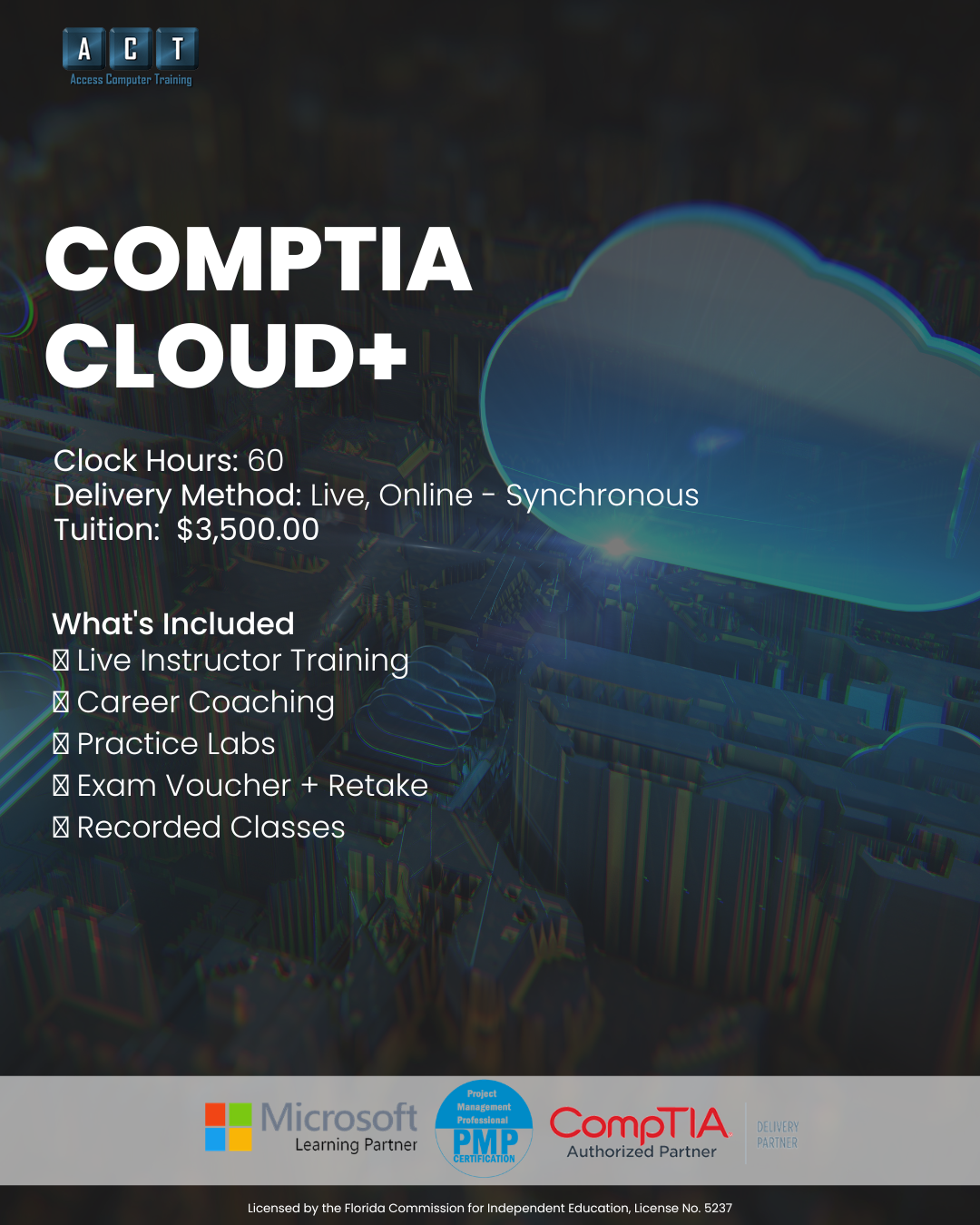
A live, instructor-led CompTIA Cloud+ certification training program in Tampa Bay that prepares you for the CV0-004 exam in 60 hours. CompTIA Cloud+ validates the skills required to deploy, secure, and optimize cloud environments across AWS, Azure, and hybrid platforms — and this is the structured way to earn it in Tampa with a certified instructor.
- Live online — not pre-recorded videos
- Max 12 students per class
- Exam voucher + retake assurance included
- Career planning with a certified career coach
- Workforce grant, VR & VA funding accepted
- Recorded sessions for 24/7 review
From on-prem IT professional
to cloud-certified specialist.
Cloud computing is where IT infrastructure is headed — and CompTIA Cloud+ is how you prove you can manage it. However, the exam covers complex topics across deployment, security, networking, and automation. CompTIA Cloud+ certification training in Tampa at ACT gives you the structured 60-hour path to master all of it.
IT skills but no cloud credential
- Comfortable with on-prem infrastructure but unfamiliar with cloud platforms
- Job postings increasingly list "cloud experience required" and you don't qualify
- Self-study is confusing without an instructor to clarify IaaS, PaaS, and SaaS
- Need a vendor-neutral cloud certification that works across AWS, Azure, and GCP
- Stuck in a traditional IT role while cloud professionals earn significantly more
CompTIA Cloud+ certified
One certification.
Three cloud career paths.
Cloud Administrator
Cloud Administrators manage and maintain an organization's cloud infrastructure — provisioning VMs, configuring networking, managing storage, and enforcing security policies. Because every organization is moving to the cloud, this role offers strong demand across healthcare, finance, and technology.
- Cloud resource provisioning & management
- Virtual networking & storage config
- IAM & security group management
- Monitoring, alerting & cost optimization
Cloud Support Engineer
Cloud Support Engineers troubleshoot complex cloud platform issues, assist with migrations, optimize performance, and support development teams. In this role, you'll work across networking, storage, compute, and security — making it ideal for IT professionals who want deep cloud exposure from day one.
- Cloud migration & troubleshooting
- Performance optimization & scaling
- Multi-cloud architecture support
- IaC templates & deployment pipelines
DevOps Associate
DevOps Associates automate cloud infrastructure deployments, manage CI/CD pipelines, and bridge the gap between development and operations. Cloud+ provides the foundational cloud and automation skills that make this high-demand, high-salary career path accessible.
- Infrastructure as Code (Terraform)
- CI/CD pipeline management
- Container orchestration basics
- Cloud automation scripting
Salary ranges reflect publicly available Tampa, FL data for entry-level to mid-career roles (ZipRecruiter, Glassdoor, Salary.com — 2026). Actual compensation varies by employer and experience. Certification does not guarantee employment.

Every cloud domain.
60 hours. One exam.
CompTIA Cloud+ certification training Tampa at ACT covers every CV0-004 exam objective across five core cloud computing domains.
Deployment models, service models, virtualization, containers, and migration strategies.
VPCs, subnetting, load balancing, VPNs, DNS, and hybrid connectivity.
IAM, encryption, security groups, compliance, and threat modeling.
Monitoring, performance tuning, storage management, backup, and DR.
IaC, Terraform, CI/CD, orchestration, and scripting for cloud platforms.
How this compares
to other CompTIA Cloud+ certification training in Tampa.
Most people preparing for Cloud+ choose between self-study, a boot camp, or a structured program. Here's where ACT fits.
| Option ASelf-study | RecommendedACT Cloud+ Prep | Option B5-day boot camp | |
|---|---|---|---|
| InstructionHow you learn | Pre-recorded, alone | 60 hrs live instruction | 40 hrs crammed |
| Exam voucherExam cost | Pay separately | Included + retake | Sometimes |
| Class sizeAttention | Solo | Max 12 students | 20–30 |
| Career coachingJob search support | None | Certified coach | None |
| FundingWorkforce grant / VR / VA | Not eligible | All accepted | Rarely |
Workforce grant, VR, and VA funding may be available depending on your employment status and county — we'll confirm your eligibility on your strategy call.
Everything you need to pass
— ALL included.
No surprise add-ons. Everything below is part of your CompTIA Cloud+ certification training Tampa enrollment.
60 Hours of Live Instruction
15 live, instructor-led classes on Microsoft Teams. Ask questions about cloud architecture and automation in real time.
Exam Voucher + Retake Assurance
Your CompTIA Cloud+ CV0-004 exam voucher is included — with retake assurance built in.
Recorded Sessions
Every live class recorded. Rewatch cloud networking labs, revisit IaC concepts, or catch up if you miss a session.
Hands-On Cloud Labs
Practice labs, quizzes, and exam simulations using real cloud environments — not just memorization.
1-on-1 Mentoring
Individual mentoring by appointment. If cloud networking or automation isn't clicking, book time with your instructor.
Career Planning & Job Strategy
Résumé reviews, LinkedIn optimization, interview prep, and Tampa-area cloud job search strategies with a certified career coach.
Your CompTIA Cloud+ certification training in Tampa
is taught by a real IT & security practitioner.
When you choose CompTIA Cloud+ certification training Tampa at ACT, your instructor brings deep network administration, infrastructure, and information security experience into every class.
Craig Taylor
Background & Experience
Craig is ACT's IT & Cybersecurity instructor, with a BSc (First Class Honours) in Intelligence & Cyber Security and a certification stack spanning CISSP, CISM, ITIL 4, and CompTIA A+, Network+, Security+, and Linux+. His background across network administration, infrastructure, and information security gives students practical, real-world context for every Cloud+ domain — from deployment and operations to security and troubleshooting.

"Cloud computing is the future of IT infrastructure — and Cloud+ is the vendor-neutral way to prove you can manage it. We built this program so students don't just learn theory — they work with real cloud environments. That's what makes our graduates stand out."
60 hours. 15 classes.
Every Cloud+ objective covered.
Click below to see every class. All content is aligned to CompTIA's current Cloud+ exam objectives (CV0-004).
01CompTIA Cloud+ — Full Curriculum (CV0-004)15 classes · 60 hours · All exam domains covered60 hrs
Build practical cloud computing skills across architecture, networking, security, operations, and automation. Each class builds progressively to develop real cloud management skills that map directly to the CV0-004 exam.
Is this program right for you?
We'd rather have an honest conversation now than enroll someone who isn't ready.
Great fit
You have A+, Network+, or equivalent IT experience and want to move into cloud computing with structured CompTIA Cloud+ certification training in Tampa.
You want a vendor-neutral cloud certification that works across AWS, Azure, and Google Cloud — not just one platform.
Live instruction from a Cloud+ certified practitioner matters to you. You want to ask questions about IaC, VPCs, and container orchestration in real time.
You're based in or near Tampa Bay (online works statewide) and want to explore Workforce grant, VR, or VA funding options.
Not the right fit
You're brand new to IT with no networking experience. Start with CompTIA A+ or our IT Network & Security Professional program first.
You want a vendor-specific certification like AWS Solutions Architect or Azure Administrator. Consider our Microsoft Azure AZ-900/AZ-104 program instead.
You prefer self-paced video with no schedule, or attending live scheduled classes doesn't fit your current availability.
CompTIA Cloud+ certification training Tampa — your questions answered.
If you have a question that isn't here, ask us on your free strategy call.
How long does the program take?
The Cloud+ Certification Prep program is 60 clock hours total — 15 classes at 4 hours each. Specifically, most students complete the program in roughly 3–4 weeks per cohort.
Do I need Network+ or Security+ first?
CompTIA recommends Network+ and 2–3 years of IT systems administration experience before Cloud+. However, it's not a strict prerequisite — our CompTIA Cloud+ certification training in Tampa is designed for IT professionals who understand basic networking, virtualization, and security concepts. We'll help you determine your readiness on your free strategy call.
How is Cloud+ different from AWS or Azure certifications?
Cloud+ is vendor-neutral — it validates cloud skills across AWS, Azure, and Google Cloud rather than locking you into one platform. As a result, employers value it because it demonstrates platform-independent cloud management skills. For vendor-specific certs, we also offer Microsoft Azure AZ-900/AZ-104.
Can I use workforce grant, VR, or VA funding?
Access Computer Training works directly with workforce grant programs, Vocational Rehabilitation (VR), VA Education Benefits (including Post-9/11 GI Bill® and Chapter 31), and CareerSource.
Eligibility depends on your employment status and county, so on your strategy call we'll walk through exactly what you may qualify for.
What if I don't pass the exam?
Your program includes retake assurance with your exam voucher. Additionally, you'll have continued access to your instructor for targeted prep, as well as recorded class sessions for review.
What comes after Cloud+?
After Cloud+, you can pursue vendor-specific certifications like Microsoft Azure AZ-104 (Azure Administrator) or AWS Solutions Architect. For security-focused cloud roles, our Cyber Defense & Incident Response Professional program complements Cloud+ with advanced security skills.
Let's find out if Cloud+
is the right next step for you.
On a free 15-minute call, we'll learn about your goals, current certs, and cloud experience. From there, we'll help you understand whether Cloud+ is the right move, what support is included, and whether you may qualify for funding. Ultimately, the goal is clarity — not pressure to enroll.
- Clarity on which program fits
- Funding eligibility check
- Schedule that fits your life
- No pressure to commit